Welcome Image Generator
Pick a template, tune it, copy the link. Every setting is a parameter in the URL.
Playground
Scale the background to the card width (840 px). With "false" the card grows to the background width.
Crop the background to the card height (280 px). With "false" the card grows to the background height.
First line, usually a greeting.
Second line, the member name (shown large).
Shown as the name instead of username when set (the discriminator is then hidden).
Server name for the {server} placeholder in title and text. Not drawn by itself.
Member count for the {memberCount} placeholder in title and text. Not drawn by itself.
Legacy four digit discriminator, drawn as #1234 after the name. Hidden when empty, "0" or anything else.
Third line, a short message.
Set to "true" to write all text in capital letters.
Title colour, hex without #.
Name colour, hex without #.
Discriminator colour, hex without #.
Message colour, hex without #.
Colour of the avatar border, hex without #.
Colour behind the background image (visible with background=none), hex without #.
Avatar image URL (PNG, JPEG, WebP or GIF). Empty uses the default avatar.
Background image URL, or "none" for a plain colour. Empty uses the default background.
This template has nothing to set here.

The URL is the whole tool
Every setting is one piece of the link. Change a piece, and the matching part of the card changes. Point at a piece to see what it shapes.
The example link, in full:
https://api.discorddevtools.xyz/welcome-image-generator/generate.png?title=Welcome%21&username=lunar_fern&text=Enjoy+your+stay%21&image=https://cdn.discordapp.com/embed/avatars/3.png&borderColor=404eed&background=none&backgroundColor=2b2d31 
Pick a template
Each layout has its own settings. Choose one, then tune it in the playground.

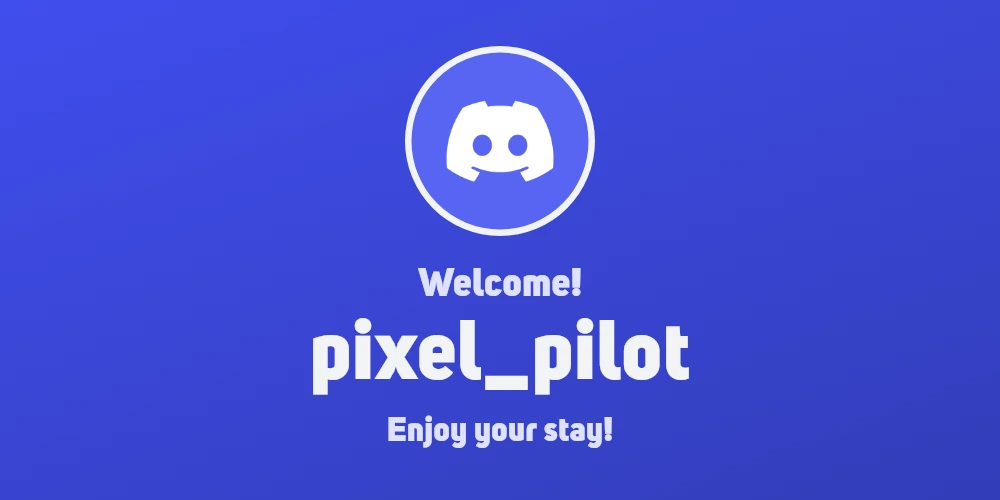
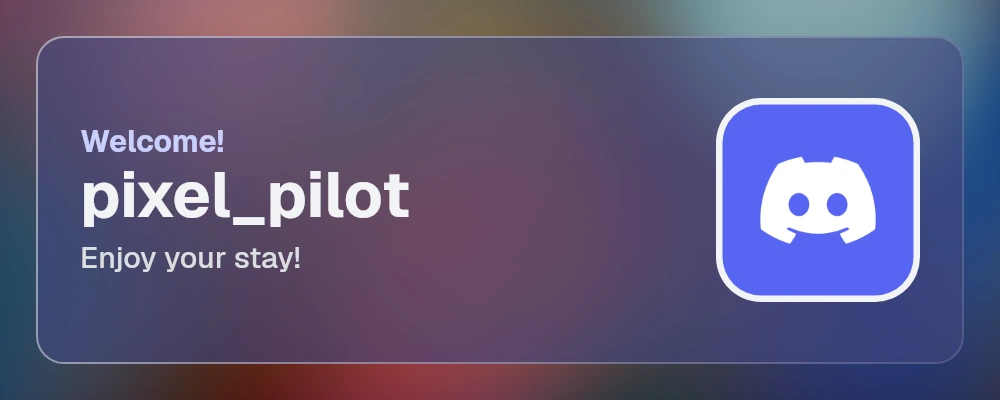

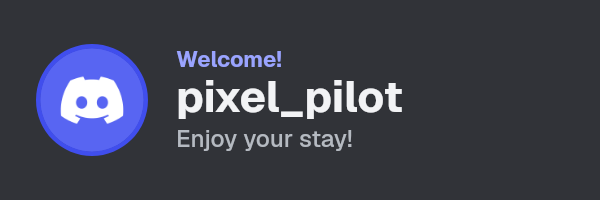

Card
A blurred background with a glass panel: text on one side, a rounded avatar on the other.
- size 1000 × 400
- settings 26
Quickstart
Use the link anywhere an image URL fits. These snippets follow the card you build above.
It is a plain GET request. Paste the link where an image URL fits, or open it in your browser.
Spaces become +, colors are hex without #, and anything you
leave out uses the template's default.
https://api.discorddevtools.xyz/welcome-image-generator/generate.pngThe bot downloads the card and sends it as an attachment, so it does not depend on Discord's image proxy.
// discord.js v14. Needs the Server Members intent enabled for your bot.
const { AttachmentBuilder, Client, Events, GatewayIntentBits } = require('discord.js');

const client = new Client({
  intents: [GatewayIntentBits.Guilds, GatewayIntentBits.GuildMembers],
});

client.on(Events.GuildMemberAdd, async (member) => {
  const url = new URL('https://api.discorddevtools.xyz/welcome-image-generator/generate.png');
  url.search = new URLSearchParams({
    username: member.displayName,
    image: member.displayAvatarURL({ extension: 'png', size: 256 }),
  }).toString();

  const card = new AttachmentBuilder(url.toString(), { name: 'welcome.png' });
  const channel = member.guild.systemChannel;
  if (channel) await channel.send({ content: `Welcome, ${member}!`, files: [card] });
});

client.login(process.env.TOKEN);The bot fetches the card with aiohttp and uploads it as a file. aiohttp is installed with discord.py.
# discord.py 2.x. Needs the members intent enabled for your bot.
import io
import urllib.parse

import aiohttp
import discord

intents = discord.Intents.default()
intents.members = True
client = discord.Client(intents=intents)


@client.event
async def on_member_join(member: discord.Member):
    params = {
        "username": member.display_name,
        "image": member.display_avatar.replace(size=256, format="png").url,
    }
    url = "https://api.discorddevtools.xyz/welcome-image-generator/generate.png" + "?" + urllib.parse.urlencode(params)

    async with aiohttp.ClientSession() as session:
        async with session.get(url) as response:
            if response.status != 200:
                return
            data = await response.read()

    channel = member.guild.system_channel
    if channel:
        card = discord.File(io.BytesIO(data), filename="welcome.png")
        await channel.send(f"Welcome, {member.mention}!", file=card)


client.run("YOUR_BOT_TOKEN")Welcome-message bots usually have an embed image URL field. Paste this link there.
{name} and {avatar} stand in for the placeholders your
bot offers for the member's name and avatar URL. Replace them, because the syntax is
different in every bot.
https://api.discorddevtools.xyz/welcome-image-generator/generate.png?username={name}&image={avatar}Parameters
Every setting is a query parameter. Leave one out and the template's default is used. Bad values fall back to the default too, so a link never breaks an embed.
Text 9
- title v1
-
First line, usually a greeting. Placeholders: {username}, {displayName}, {server}, {memberCount}.
Classic: First line, usually a greeting.
- username v1
-
Account name. Shown as the name when displayName is empty, otherwise as the @handle. Empty shows "Unknown".
Classic: Second line, the member name (shown large).
- displayName
-
Name shown as the primary name. When it is set, the @username is shown smaller where there is room.
Classic: Shown as the name instead of username when set (the discriminator is then hidden).
- server
-
Server name, used by the {server} placeholder. Without it {server} reads "this server".
Classic: Server name for the {server} placeholder in title and text. Not drawn by itself.
- memberCount
-
Shown as "Member #1,234" where there is room, and available as {memberCount}. 0 hides it.
Classic: Member count for the {memberCount} placeholder in title and text. Not drawn by itself.
Minimal: Shown as "Member #1,234" at the end of the title line when it fits, and available as {memberCount}. 0 hides it.
- discriminator v1
-
Legacy four digit discriminator, shown as #1234. Hidden when empty, 0 or anything else.
Classic: Legacy four digit discriminator, drawn as #1234 after the name. Hidden when empty, "0" or anything else.
Discord has phased out discriminators, so leave this out in new links. Links that still pass four digits keep working.
- text v1
-
Short message. Accepts the same placeholders as title.
Classic: Third line, a short message.
- allCaps v1
-
Set to "true" to write all text in capital letters.
- font
-
Typeface: uni-sans-heavy (Discord display), geist (clean sans) or geist-mono (monospace). Other scripts, symbols and emoji fall back to bundled Noto fonts.
Colors 10
- titleColor v1
-
Title color, hex without #.
Classic: Title colour, hex without #.
- usernameColor v1
-
Name color, hex without #.
Classic: Name colour, hex without #.
- discriminatorColor v1
-
Color of the #discriminator, the @handle and the member count, hex without #.
Classic: Discriminator colour, hex without #.
- textColor v1
-
Message color, hex without #.
Classic: Message colour, hex without #.
- borderColor v1
-
Avatar border color, hex without #.
Classic: Colour of the avatar border, hex without #.
- backgroundColor v1
-
Base color behind everything, hex without #.
Classic: Colour behind the background image (visible with background=none), hex without #.
Split: Base color of the text side, hex without #.
- accentColor
-
Accent of the template (bar, panel or chip), hex without #.
Minimal: Color of the avatar border, hex without #.
Split: Color of the avatar panel, hex without #.
- backgroundGradient
-
Gradient behind the background image: two or three hex colors separated by commas, for example 404eed,5865f2 (use "none" for no gradient). Empty: the template default.
- gradientAngle
-
Gradient direction in degrees: 0 points up, 90 right, 180 down.
- overlayColor
-
Color of the overlay above the background (see overlayOpacity), hex without #.
Images 4
- image v1
-
Avatar image URL (PNG, JPEG, WebP or GIF, first frame). Empty or unreachable uses the default avatar.
Classic: Avatar image URL (PNG, JPEG, WebP or GIF). Empty uses the default avatar.
- background v1
-
Background image URL, or "none" for no image. Empty uses the template default. Unreachable images fall back to it.
Classic: Background image URL, or "none" for a plain colour. Empty uses the default background.
- backgroundBlur
-
Blur radius of the background image in pixels, 0 to 40.
Card: Blur radius of the background image in pixels, 0 to 40. The card blurs it by default.
- overlayOpacity
-
Opacity of the overlay color above the background, 0 to 1.
Layout 4
- backgroundAdjustWidth v1
-
Scale the background to the card width (840 px). With "false" the card grows to the background width.
- backgroundAdjustHeight v1
-
Crop the background to the card height (280 px). With "false" the card grows to the background height.
- avatarShape
-
Avatar shape: circle, rounded or square.
- textAlign
-
Alignment of the avatar and the text: left, center or right.
Side of the text: left puts the avatar on the right, right puts it on the left.
Advanced 1
- autoContrast
-
Keeps text readable: lays a scrim behind it or switches its color when contrast would be too low. Set to "false" to turn it off.
Limits and caching
The numbers, so you can plan around them.
Images you send
-
Remote images (
image,background) - 5 MB at most, 4 s to load
- Allowed sources
- http and https URLs
- Allowed types
- PNG, JPEG, WebP, GIF (first frame)
- If an image fails to load
- the default image, or no background
Caching
- Rendered cards stay on the server for
- 7 days, then they are deleted
- Browsers and CDNs
- Cache-Control: public, max-age=86400, stale-while-revalidate=604800
- Revalidation
- ETag, and If-None-Match gets a 304
- Formats
- png, webp, jpg
Fair use
- Rate limits are sent as headers
- RateLimit-Limit, RateLimit-Remaining, RateLimit-Reset
- Too many requests
- 429 with Retry-After
- Generator busy
- 503 with Retry-After
- Bad parameter values
- use the default, you still get an image
The names, avatar links and images you send are used only to draw your card. The privacy policy says exactly what is kept and for how long.
Coming from v1?
Your old links keep working and still give the classic card. A v1 link looks like this:
https://api.discorddevtools.xyz/welcome-image-generator/generate.png?title=Welcome!&username=lunar_fern&discriminator=0
Discord has phased out discriminators, so the discriminator parameter is
deprecated. Use the member's display name as username and leave it out, or
pass 0 to hide it. Everything else works as before.